









































iOS 17 & iPadOS 17: Download iOS 17, Explore New Features Like StandBy Mode, NameDrop, And Enjoy On Supported Devices

T
Tech
NEWS CARD

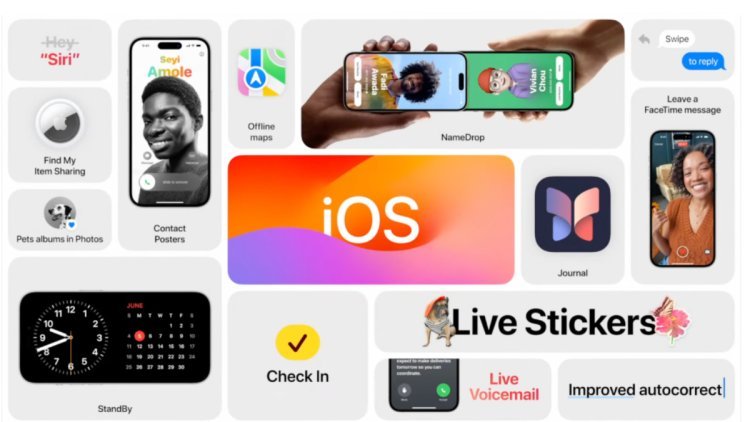
“iOS 17 & iPadOS 17: Download iOS 17, Explore New Features Like StandBy Mode, NameDrop, And Enjoy On Supported Devices”

Read more on
newsflash18.com
19 Sep 2023
For users with older iPhones or iPads looking to install iOS 17 or iPadOS 17, a few essential steps can help ensure a smooth installation process. These updates, being substantial, require ample storage and preparation.
-
Check Storage Space: Since these updates are over 6 GB in size, it's crucial to ensure your Apple device has at least 20 GB of free internal storage. If space is insufficient, consider uploading your content to iCloud or removing unnecessary files to free up storage.
Battery and Connectivity: Ensure your device has a sufficient battery charge of at least 60 to 70 percent. Additionally, connect to a high-speed Wi-Fi or a 5G network with good reception. A stable internet connection is vital for a seamless update experience.